
The site is slow, the CMS fights your team, and everyone agrees it has to move. Then someone asks what happens to the traffic, and the room goes quiet.
That question is the one most migration content skips. There is plenty written about what a move costs and how long it takes. Far less about the thing actually at risk, which is years of accumulated search visibility.
Can you migrate a large website without losing rankings?
Yes, and the risk sits in the plan rather than in the platform. Rankings attach to pages, not to the system serving them. What loses traffic during a move is almost always one of three things: URLs that change without a redirect, metadata that is not carried across, and content rebuilt from scratch instead of migrated. None of those belongs to a particular platform. They happen on every one of them, and they are all decided before anyone touches a design.
This is also the one part of our work we put in writing. We do not guarantee rankings, traffic or AI citations, and nobody credible does. Migrations are the exception, and they carry a written zero SEO loss guarantee, because a redirect map either covers every URL or it does not.
Every figure in this post comes from a Webflow migration, because that is the platform we build on. The method is not specific to it. The same crawl, the same redirect map and the same pre-launch checks apply whether the destination is Webflow, WordPress or something built in-house.
What has to be preserved, and what can change?
Almost everything people want to change in a migration is safe to change. Almost everything that carries ranking signal has to survive untouched or be mapped deliberately. Separating the two before the project starts is what makes the rest predictable.
| Must survive | Free to change |
|---|---|
| URL structure, or a mapped 301 redirect for every change | Visual design and layout |
| Title tags and meta descriptions, per page | CMS structure and field names |
| Headings and body copy, migrated rather than retyped | Navigation and menu structure |
| Schema markup, rebuilt to match what the old site published | Page templates and components |
| Internal links, repointed to final URLs | Imagery and brand |
| Canonical URLs, sitemap and robots.txt | Forms and integrations, if tested |
The column on the right is why companies move in the first place. The column on the left is why some moves go badly.
How do you map redirects on a site with thousands of URLs?
Page by page, before launch, from a full crawl of the old site. Not after, and not by pattern alone. A redirect rule written from a URL pattern will look correct and quietly miss the exceptions, and the exceptions are usually the pages that earned the most links. Google's guidance on redirects settles which status code belongs where; the part that is easy to get wrong is the mapping, not the rule.
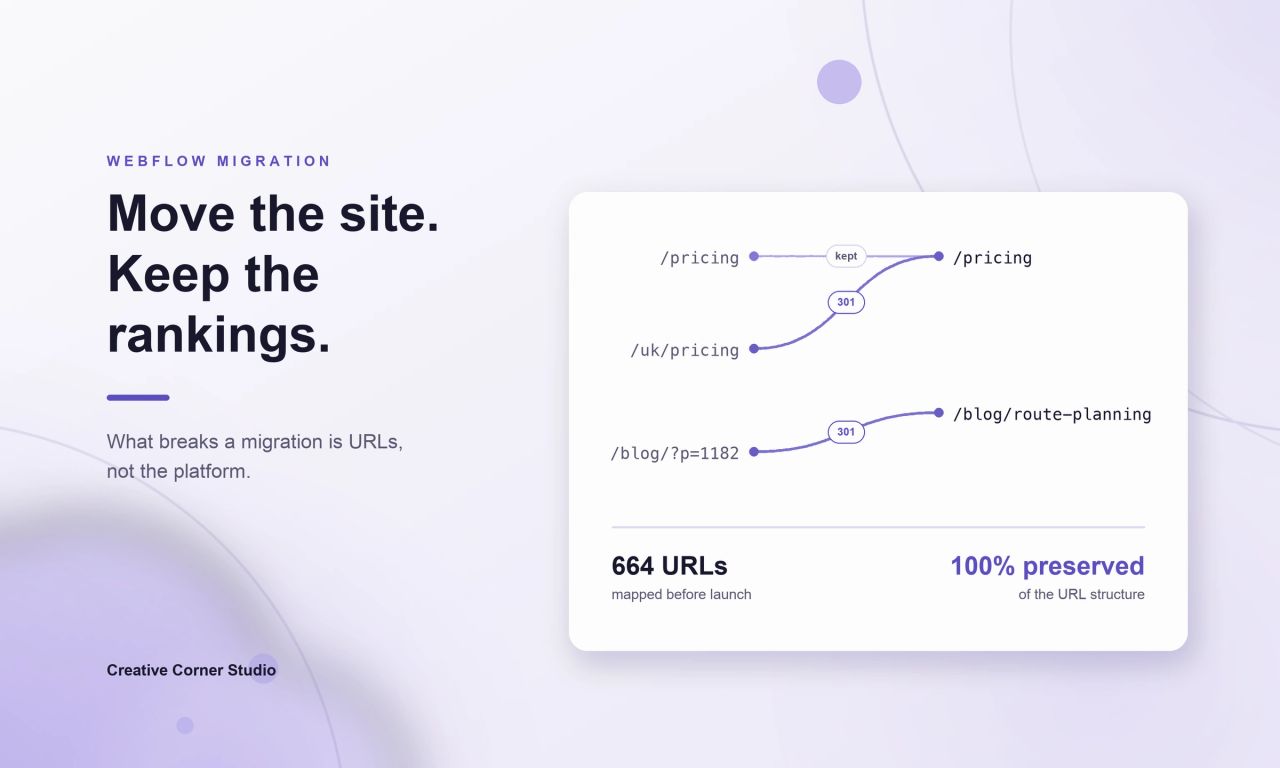
RAM Tracking is the clearest example of what this looks like when it is done properly. The site relaunched across the UK, US and Canada with 664 URLs live and 100% of the URL structure preserved. A crawl of more than 700 pages five weeks after launch found zero internal 404s. The brand changed mid-project and the launch date did not move.
That last number is the test. Not whether the redirects were written, but whether a crawl weeks later finds anything broken. Ask for it.
What happens to a large blog archive?
It moves as data, not as pages someone recreates. The archive is usually the biggest single block of URLs on a B2B site and the one most likely to be quietly dropped, because rebuilding a thousand posts by hand is nobody's idea of a good quarter.
Three of our own migrations show the shape of it. TeamUp, DaySmart's brand, moved from HubSpot to Webflow in two months: 732 URLs live, 628 of them blog posts, and 81 forms preserved. Energo-Pro consolidated three websites into one bilingual platform of 3,002 URLs, carrying a news archive of 1,283 articles. Gymdesk moved 491 blog posts and went live thirteen weeks after contract. Juma moved 216 pages off WordPress in 40 business days with zero SEO loss, and hit its contractual 1 September launch date.
What makes that volume manageable is modelling the content before moving it. Fields have to be right before twenty thousand items exist, because reworking the model afterwards is the expensive moment, not creating it.
What about multi-language and multi-market sites?
The URL count multiplies, and so does the number of places a single mistake can hide. A page that exists in eight markets is eight URLs, eight sets of metadata and a hreflang cluster that has to be complete in every direction.
Klipboard moved from HubSpot CMS to Webflow Enterprise with 1,556 URLs live across 8 markets in 4 languages on launch day, 25 August 2026, carrying 6,082 hreflang annotations. Antea Beach Resort runs 880 URLs as a complete two-language mirror, 440 Bulgarian and 440 English, with 2,640 hreflang annotations covering bg, en and x-default on every page.
Hreflang is the part teams underestimate, because when it breaks nothing visibly fails. The pages stay up, they simply start competing with each other instead of serving their own markets. Google's documentation on localized versions is explicit about why that happens: every language version has to list itself and every other version, and a missing return link can cause the whole set of annotations to be ignored.
What is checked before launch day?
A migration is won or lost in the week before it goes live. By then the build is finished and the question is no longer whether the new site looks right, but whether every signal the old site carried has an address on the new one. Six checks cover most of it, and all of them produce a list rather than an opinion.
| Check | What it catches |
|---|---|
| Crawl old against new, URL by URL | Pages that exist on neither side of the redirect map |
| Redirect chains and loops | Old redirects pointing at URLs that themselves moved |
| Title and meta description diff | Pages that lost their metadata in the rebuild |
| Internal links pointing at old URLs | Links that will resolve through a redirect instead of directly |
| Structured data parity | Schema types the old site published and the new one does not |
| Sitemap and robots.txt | Pages excluded by accident, or a staging robots file shipped live |
The last one is worth saying plainly. A staging robots.txt that blocks everything, published to the live domain, is the single most common way a careful migration still loses its traffic. It is also the easiest to check.
How long does traffic take to settle, and what is normal?
Expect movement while the new URLs are recrawled, and expect it to last longer than most plans assume. Google's site move documentation states that temporary ranking fluctuation is normal, and that a medium-sized site can take a few weeks or more before the new URLs replace the old ones in results, with larger sites taking longer. That is not a loss. What matters is whether the redirects resolve, whether the sitemap was resubmitted on launch day, and whether anything was dropped in the rebuild. All three are checked before launch rather than diagnosed after it.
What is not normal is a drop that does not recover, or a page that disappears from the index entirely. Both usually trace back to one of the six checks above rather than to anything Google decided. Crawl the site again at two weeks and at six, and compare against the pre-launch list rather than against a feeling.
Timelines vary by source platform more than by size. We have written both out for Webflow specifically: how long a Webflow migration takes, and what a Webflow migration costs.
What should you ask an agency before signing?
Five questions separate a migration plan from a redesign with a migration attached. Each one has a concrete answer, and vagueness on any of them is the signal.
| Ask | What a real answer sounds like |
|---|---|
| Who builds the redirect map, and when? | A named person, from a crawl, before build starts |
| What is guaranteed in writing? | A contractual term, not a line on a sales page |
| Who crawls the site after launch, and when? | A date, and a threshold for what counts as a problem |
| What happens to our blog archive? | Imported as data with fields mapped, not retyped |
| Who owns the project if we leave? | The account and the content stay yours, on your own plan |
Where can this still go wrong?
Two situations carry real risk, and both are worth naming before a contract rather than after.
The first is changing the content at the same time as the platform. A migration that also rewrites the copy stops being a migration, because there is no longer a clean before and after to compare. If the content genuinely needs rewriting, move first and rewrite second.
The second is custom functionality with no equivalent on the destination platform. Gated portals, complex calculators and deep application logic are not CMS content, and pretending they are is how a timeline doubles. Those are scoped separately or kept where they are.
Neither of these is an argument against moving. They are the two things worth being honest about while the plan is still on paper.
If you are weighing a move and want to know what it would involve for your site specifically, see how we scope a migration, or tell us what you are on today and we will tell you where the risk sits.

