Every CMS feels fine at fifty pages. The question is what happens at five thousand, in eight markets, with three teams publishing into it.
That is the point where the CMS stops being a convenience and becomes the thing that decides how fast marketing can move. Most of what is written about the Webflow CMS answers the first situation. This covers the second.
How do you architect the Webflow CMS for enterprise scale?
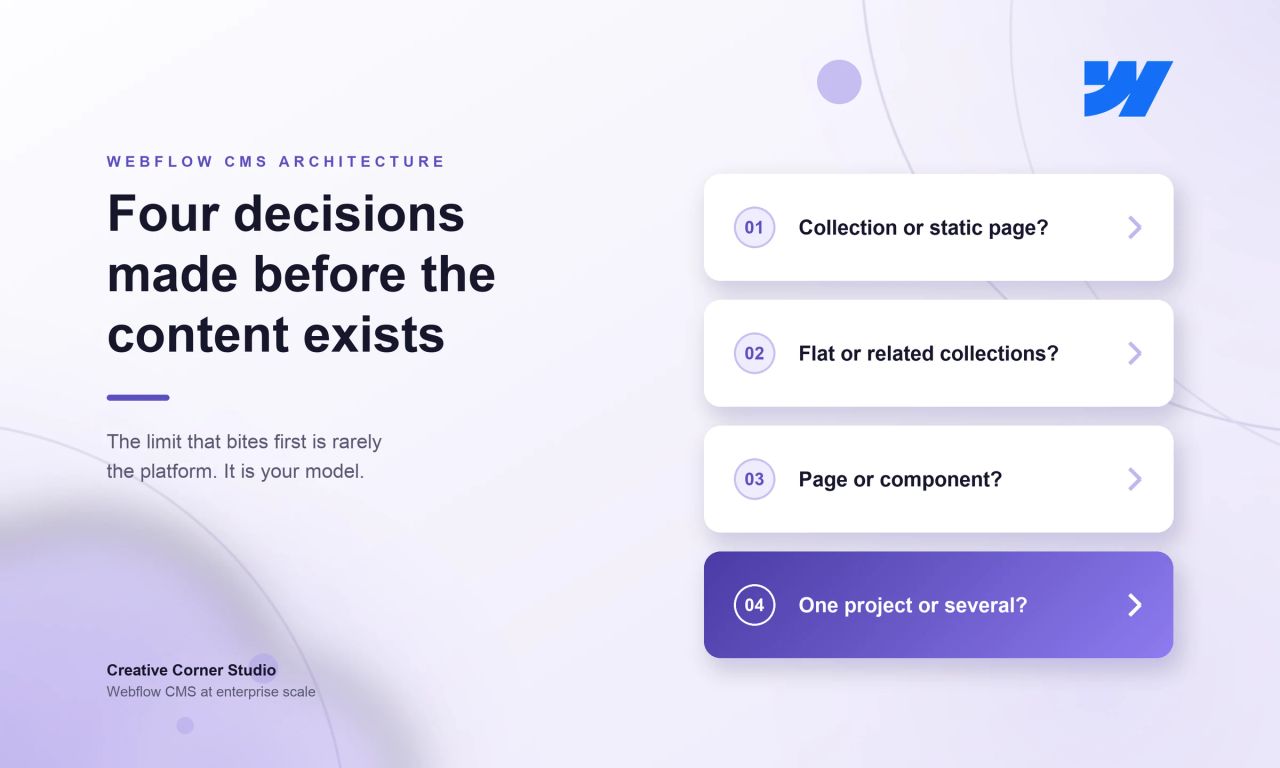
Start by deciding what becomes a CMS Collection and what stays a static page. The deciding question is who adds the next one. Anything the client's own team will keep adding becomes a collection; anything that exists once does not. Blog posts are the clearest case, which is why they are a collection and the homepage is not. Set up that way, the marketing team publishes without calling the agency.
The second decision is how collections relate to each other. Reference and multi-reference fields let one collection point at another, so an article can carry its author, its category and its related case studies without any of that being retyped. Done early, this is what keeps a large site coherent. Done late, it is a migration.
The third is how much of the design is a component rather than a page. On Klipboard, a 26-page design system produced 133 advanced page designs. That ratio is the whole argument for building components before pages: the system is what you maintain, and the pages are what it produces.
The same logic applies to depth. Antea Beach Resort needed a buyer to get from "a two-bedroom with a sea view on an upper floor" to one specific unit, which means buildings, floors and apartments all have to be real pages in the right order. That became nine collections arranged four levels deep, development to building to floor to unit, with nested routes so a floor stays addressable inside its own building rather than floating in a flat list. Decide that hierarchy before the content exists and it is a modelling exercise. Decide it afterwards and it is a rebuild.
| Decision | Ask this | If you get it wrong |
|---|---|---|
| Collection or static page | Who adds the next one? | Marketing waits on a developer for every new entry |
| Flat or related collections | Will this field ever need to be a list? | The same author name typed four different ways |
| Page or component | Will this layout appear more than twice? | Twenty pages to update when the brand changes |
| One project or several | Do these sites share a design system? | Either duplicated work or a project nobody can govern |
How many CMS items can Webflow actually hold?
On the Premium site plan, 20,000 CMS items across 40 collections. On Enterprise, more than one million items per site, and up to one million in a single collection. Both numbers changed recently, which matters because the figure most often quoted online is out of date by an order of magnitude.
Webflow merged the old CMS and Business plans into Premium in May 2026. The CMS plan's limit of 2,000 items and 20 collections became 20,000 items and 40 collections, the Business plan's 10,000 items became the same 20,000, and the CMS item add-ons were removed because the new allowance covers what they used to unlock.
Separately, Webflow migrated every Enterprise site to a new CMS architecture, raising storage to over one million items per site, allowing up to 100 fields per collection and 20 reference or multi-reference fields, and permitting up to one million items in one collection rather than spreading them across many.
| Premium site plan | Enterprise, next-gen architecture | |
|---|---|---|
| CMS items per site | 20,000 | Over 1,000,000 |
| Items in a single collection | Bounded by the site limit | Up to 1,000,000 |
| Collections | 40 | Set per agreement |
| Fields per collection | 60 | 100 |
| Reference fields per collection | Up to 10, varying by plan | 20 |
| Static pages | 300 | Set per agreement |
Sources: Webflow's May 2026 pricing update and its Enterprise CMS announcement for the item and collection figures, its developer documentation for the 60-field schema limit, and its reference field documentation for the reference counts. Webflow states that non-Enterprise reference allowances vary by site plan and can be checked under Site settings, Plans, All site features.
Two of these moved earlier and separately. In July 2024 Webflow raised fields per collection from 30 to 60 and reference fields from 5 to 10, so any figure you find below those is older still.
The useful point is that the item count is rarely the limit that bites first. Collection count, fields per collection and how many lists a single page can hold usually arrive sooner.
How do you manage thousands of CMS items in practice?
At enterprise scale the volume almost never comes from a product catalogue. It comes from three places: content archives, resource libraries that keep growing, and the multiplication of a modest page count across locales.
Three of our own migrations show the shape of it. TeamUp, DaySmart's brand, moved from HubSpot to Webflow in two months with 732 URLs live, 628 of them blog posts, and 81 forms preserved. Energo-Pro consolidated three websites into one bilingual platform of 3,002 URLs, carrying a news archive of 1,283 articles. Antea Beach Resort runs 880 URLs, 440 Bulgarian and 440 English, for a resort of 325 units: 228 apartments in one residence, 64 in another, 24 sea houses and 9 beach villas, each with its own page in both languages. Nine collections hold them, including 72 building and floor pages whose only job is to carry the hierarchy.
None of those is a shop. All of them are archives and locales.
What makes that volume manageable is not a feature. It is that the content was modelled before it was moved. Bulk import and export handles the first load, and the CMS API handles everything programmatic after it, but both of those assume the fields are already right. Reworking the model once twenty thousand items exist is the expensive moment, not creating them.
How do you handle multi-region and multi-language content?
Two routes, and the choice is usually settled by whether the markets share a design. Webflow Localize keeps every locale inside one project, which suits markets that run the same site in different languages. Separate projects per region suit markets that have genuinely diverged, and cost more to keep aligned.
Klipboard runs the first route at scale: 1,556 URLs live across 8 markets in 4 languages on a single Webflow project, migrated from HubSpot CMS and live on 25 August 2026, carrying 6,082 hreflang annotations. That last number is the part teams underestimate. Every new page has to be created, translated and cross-linked in eight places, or the hreflang set breaks silently and nothing visible goes wrong.
Bluebird Kids Health shows the same mechanism with locations rather than countries: eleven pediatric clinics on one platform in three languages, each new location live for its opening day. RAM Tracking shows what it takes to move one: 664 URLs relaunched across the UK, US and Canada with 100% of the URL structure preserved.
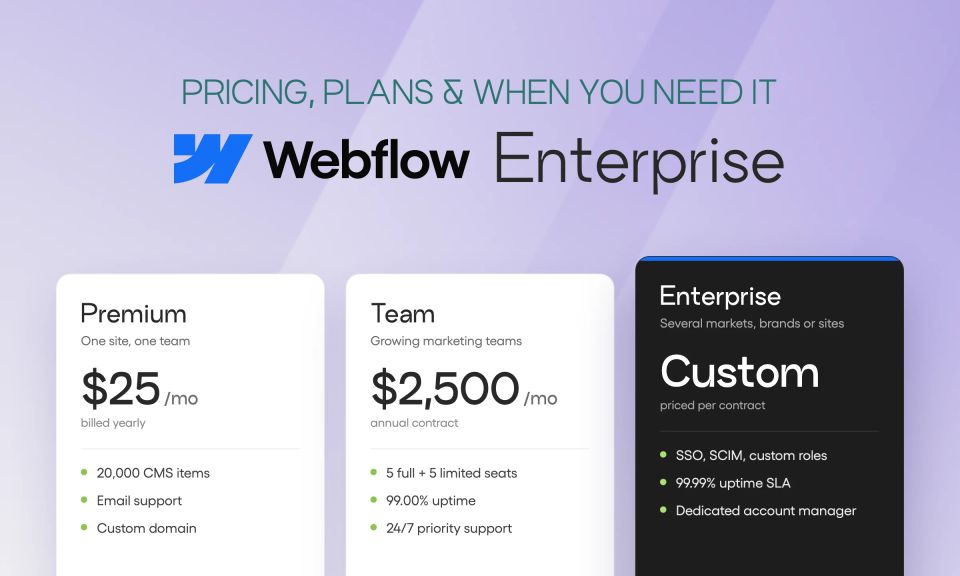
Webflow prices Localize by the number of locales. The Essential tier starts at $9 a month and reaches up to three locales with 10,000 words a month. Advanced starts at $29 and reaches ten locales with 50,000 words, adding asset localization, localized URLs and automatic visitor routing. For the mechanics of setting it up, see our guide to Webflow localization.
Can one Webflow setup run several brands?
Usually not one project, but one team and one system. Separate Webflow projects per brand keep the identities and the governance clean, while a shared design system keeps the build cost from multiplying. What is genuinely shared is components, tokens and conventions. What is not shared is content, domains and permissions.
The clearest example of what that saves is a venture studio. Juxtapose, based in New York, has had us build four of its portfolio companies' sites, starting with Wisdom, a dental billing company. Each is a separate company with its own brand and its own domain, and all of them were built by the same team from the same component library. Some went live in as little as two weeks, because by the later ones very little had to be designed from scratch. The retainer behind that work has run continuously for two and a half years.
That is the economic argument for a shared system: the fourth brand is not a fourth project. DaySmart saw the same thing from the client side. While we were migrating its TeamUp brand to Webflow, it signed a second brand onto the same engagement.
Permissions are more capable than most teams assume. Webflow publishes seven site roles: Site manager, Designer, Limited designer, Designer with approval, Marketer, Content editor and Reviewer. A Content editor edits content only. A Marketer creates and edits pages from existing components but cannot make new ones. A Reviewer can view, comment and approve. Publishing is a separate toggle, so a person can edit without being able to push the site live.
Changing who holds which role requires a Growth, Agency or Enterprise Workspace plan. Custom roles built on those base roles are Enterprise and partner only. On the site plan side, Webflow's Team plan adds publishing workflows, single-page publishing, a site activity log and API, and what Webflow calls foundational governance, while Enterprise adds granular permissions.
One thing to know if you are reading older guidance: Webflow retired the legacy Editor on 5 October 2026. The Content editor role replaces what used to be Edit mode, and Marketer replaces Build mode. The ?edit URL suffix no longer works.
How do you keep a large Webflow site fast?
The same way as any site, with one addition: collection lists are the thing that grows without anyone deciding it should. Webflow renders them when the site is published rather than when a visitor arrives, so the cost is not a database call. It is page weight. A page pulling related content from four collections ships a great deal more markup than the page it replaced, and that is what the browser has to parse before anything is usable.
Webflow's next-gen architecture raised the ceilings here too, to 40 collection lists per page, 10 nested lists, 100 items per nested list and three levels of nesting rather than one. Those figures are live for Enterprise customers now, and Webflow says the same design flexibility reaches all customers in the coming months. Higher ceilings are not an instruction to use them. They are permission to stop building workarounds.
Everything else is the usual work: image sizing, deferred scripts, font loading and keeping marketing tags from blocking render. Those decide Core Web Vitals, and they degrade continuously because every new tag and every uploaded image moves them. We covered how that is handled as ongoing work in what ongoing Webflow work costs.
Where does the Webflow CMS actually stop?
It stops where the content stops belonging to the website. Webflow's CMS is built to model and publish site content, and it is not a product information system, a customer data platform or a translation memory. When the same content has to feed a mobile app, a partner portal and a site at once, a headless CMS behind Webflow is the honest answer.
There is a second, more practical boundary, and Webflow publishes it. Its Customer Support Policy states that Webflow supports account access, billing, Workspace settings, its platform tools and site hosting, performance and uptime. It explicitly does not support custom code, DNS, SEO, third-party integrations, exported code, or design, UX and branding questions.
| Webflow handles | Your team handles |
|---|---|
| Hosting, performance and uptime | Custom code, JavaScript and CSS |
| Account, billing and Workspace settings | DNS setup |
| The canvas, CMS panel and Site settings | SEO and schema markup |
| Platform bugs | Integrations: HubSpot, Marketo, Segment, Optimizely, Zapier and the rest |
None of that is a criticism of the platform. It is the division of labour, and knowing it before the build is what stops a team discovering it during one.
If you are planning a Webflow build that has to hold this kind of volume, or you have one that is already straining, tell us what you are working with. We will tell you whether the CMS is the constraint or something else is.