Marketing teams in 2026 move faster than ever. Campaigns launch weekly. Landing pages change daily. SEO strategies evolve constantly. Yet many teams are still slowed down by outdated website workflows - waiting for developers to make simple edits or struggling with rigid CMS systems.
That’s why a new generation of marketing teams has shifted to Webflow Development.
Webflow is not just another website builder. It sits in a unique category between traditional CMS platforms and full custom development. It gives marketing teams control over design, content, SEO and performance - without sacrificing flexibility or scalability.
Today, Webflow powers websites for startups, SaaS companies, global brands and fast-growing marketing departments. And the reason is simple: marketers can finally own their website.
In this guide, we’ll explore why Webflow has become the best platform for marketing teams in 2026, what competitors still miss, and how marketers can use it to launch faster, rank higher and convert better.
What Do Marketers Need From A Website Platform In 2026?
A modern marketing website has to do four jobs at the same time:
- Publish fast
Campaigns move weekly, not quarterly. If every landing page requires a developer, you’re already behind. - Rank and get cited
We are optimizing for Google, yes. But also for AI Overviews and LLM answers where the “best page” is the one that’s easiest to interpret, extract, and trust. - Stay consistent
Brand and UX cannot fall apart because five people are building pages in five different ways. - Measure like a grown-up
If tracking is messy, you can’t learn. If you can’t learn, you can’t scale.
Webflow was basically designed to hit all four. Not perfectly for every company, but unusually well for marketing teams.
What Makes Webflow Different From Traditional Website Builders?
Most website platforms fall into two categories:
1. Template Builders
Platforms like Wix or Squarespace make website creation easy but limit customization and scalability.
2. Developer-Heavy CMS Platforms
Systems like WordPress or Drupal offer flexibility but often require developers, plugins and ongoing maintenance.
Webflow sits in the middle ground.
It combines:
- visual design tools
- CMS capabilities
- hosting
- SEO optimization
- front-end development power
All in one platform.
Instead of choosing between ease-of-use and flexibility, Webflow gives marketing teams both.
This hybrid approach is one of the biggest reasons the platform has gained massive adoption among marketing departments and growth teams worldwide.
Why Is Webflow Perfect For Marketing Teams?
Marketing teams need autonomy. They also need speed.
Webflow enables both.
Here are the core reasons marketers prefer it.
Visual Development Without Code
Webflow allows marketers and designers to build fully custom websites visually while still generating clean production-ready code.
That means marketing teams can:
- design landing pages
- update layouts
- test messaging
- launch campaigns
… without waiting for developers.
Yet developers still appreciate Webflow because the platform outputs structured HTML, CSS and JavaScript rather than messy code.
It bridges the gap between design and development.
Lightning-Fast Campaign Launches
Launching a new landing page on traditional CMS platforms can involve:
- design mockups
- developer implementation
- QA testing
- deployment
This process can take weeks.
With Webflow, marketers can:
- duplicate existing landing pages
- modify content
- publish instantly
A campaign page that once took weeks can now launch within hours.
For growth teams running multiple campaigns every month, this speed is a massive competitive advantage.
Built-In SEO Control
SEO remains one of the most important marketing channels in 2026.
Webflow offers advanced SEO capabilities directly inside the platform:
- custom meta titles and descriptions
- automatic sitemap generation
- canonical tags
- alt text management
- 301 redirects
- fast page load speeds
Many website builders hide these options or require plugins.
Webflow keeps SEO fully accessible to marketers.
That means teams can implement SEO best practices immediately instead of waiting for developers.

Which Platform Lets Marketing Teams Update Sites Easily Without Engineering?
Webflow is one of the best answers here, specifically because updates are built into the workflow, not hacked in later.
If your Webflow build is set up correctly (big “if,” and we’ll cover that), marketers can:
- Publish new blog posts and pages through the CMS
- Update on-page content through Editor
- Launch campaign pages using pre-built sections
- Maintain consistency without learning code
Compare that to a typical WordPress setup where “easy updates” often becomes “easy updates until you break something.”
How Does Webflow Help You Rank In Google After The Latest Updates?
Google’s direction is consistent even when the updates are noisy: reward content that’s genuinely helpful, clearly structured, and written by people who know what they’re doing.
Webflow helps with the non-negotiables:
- Clean site structure and clear heading hierarchy
- On-page SEO controls (titles, meta descriptions, indexing)
- Redirect management
- CMS templates that prevent messy duplication
- Performance foundations that support Core Web Vitals
But here’s the part that matters for 2026 SEO: speed of iteration.
Webflow lets teams improve pages quickly when they see ranking changes, intent shifts, or new SERP features.
You can fix, expand, and publish while competitors are still in Jira.
What Is AEO And Why Should Marketers Care In 2026?
AEO (Answer Engine Optimization) is optimizing your site so AI systems can confidently pull answers from it and cite it. It’s not replacing SEO. It’s adding a new layer.
AEO matters because more journeys start with:
- “Ask an AI” instead of “Google it”
- AI Overviews that summarize without sending clicks
- Shortlists of sources that AI trusts
So we optimize for two readers: Humans who need clarity
Machines that need structure
If SEO is getting found, AEO is getting selected.
If you want to see who’s doing this well right now, check out our roundup: Best Webflow AEO/GEO Agencies Optimizing For AI In 2026.
How Do You Structure Content So LLMs Can Pull The Right Answers?
If you want AI systems to quote you, make quoting easy.
That means:
- Use clear questions as headings
- Answer immediately, then expand with context
- Add summaries, callouts, and scannable sections
- Keep one page focused on one intent
- Use a clean H1, then logical H2 and H3 structure
Webflow’s own technical AEO guidance emphasizes structure like clear headings, bullet points, “in summary” statements, and FAQs so LLMs can interpret content accurately.
What Technical AEO Steps Actually Move The Needle?
This is where most “AEO content” turns into vague advice. Let’s keep it practical.
Based on Webflow’s technical AEO framework, strong technical AEO comes down to:
Structured content and structured metadata
Use schema markup on key pages, validate it, then scale it site-wide.
Accessibility and crawlability
Alt text, semantic HTML, logical hierarchy, minimal broken links.
Speed and consistency
Maintain performance and do regular technical audits.
Freshness signals and discoverability
Make it easy for engines to find what changed and when.
Webflow specifically recommends starting schema rollout on top pages, validating via Google’s rich results testing, keeping a single H1 with logical subheadings, and maintaining strong crawlability.
They also call out the importance of Bing freshness via IndexNow because of its influence on ChatGPT-style discovery flows.

Is Webflow Good For SEO Without Plugins?
Yes, and that’s part of the point.
Webflow includes the core SEO controls marketers need without turning your site into a plugin dependency chain:
- Page titles and meta descriptions
- Open Graph settings
- Clean URLs and redirects
- Image alt text
- Sitemap generation
- Canonical behavior support
The real win is operational reliability. You are less likely to get wrecked by plugin conflicts, security issues, or performance regressions caused by “one more marketing tool.”
For a deeper dive into AEO and Webflow SEO, read our guide: Webflow SEO in the Age of AI: Is Webflow Good for SEO, GEO, and AEO in 2026?
What Are The Best Website Platforms For SEO-Focused Marketing?
Webflow and WordPress are widely recognized as strong platforms for SEO when implemented correctly. Webflow offers built-in SEO controls, clean code, and fast performance without relying on plugins, making ongoing optimization easier.
WordPress can also be highly effective for SEO, but it typically requires careful plugin management and technical upkeep to avoid performance issues or conflicts.
How Do Marketing Teams Keep Webflow Fast And Core Web Vitals-Friendly?
Webflow gives you a strong foundation, but marketers can still accidentally slow the site down.
The biggest speed killers are predictable:
- Huge images uploaded “as-is”
- Too many third-party scripts
- Heavy animations everywhere
- Video backgrounds on every section
- Overdesigned pages that look cool but load like a fridge
The best practice is simple: treat performance like a brand. Protect it. Make it part of the checklist, not a “later” task.
How Do Webflow CMS Collections Make Content Marketing Scale?
CMS Collections are how you stop building pages one-by-one and start building systems.
Instead of manually creating every blog post, case study, job listing, or integration page, you:
- Build a template once
- Create structured fields (author, summary, use case, FAQ, CTA)
- Publish new items consistently through the CMS
This is also a hidden AEO advantage. When your content is structured consistently, it’s easier for search engines and LLMs to interpret patterns, relationships, and relevance across your site.
What’s The Best Way To Build Landing Pages In Webflow For Campaigns?
The best landing pages are not “designed,” they’re assembled.
High-performing Webflow marketing teams use:
- Modular sections (hero, proof, features, FAQ, CTA)
- Reusable components
- Controlled variations for testing
- A consistent conversion framework
This is one area where competitor content is often too beginner-focused. Yes, you can build landing pages in Webflow.
But the teams that win build a landing page library first, then ship campaigns like a factory.
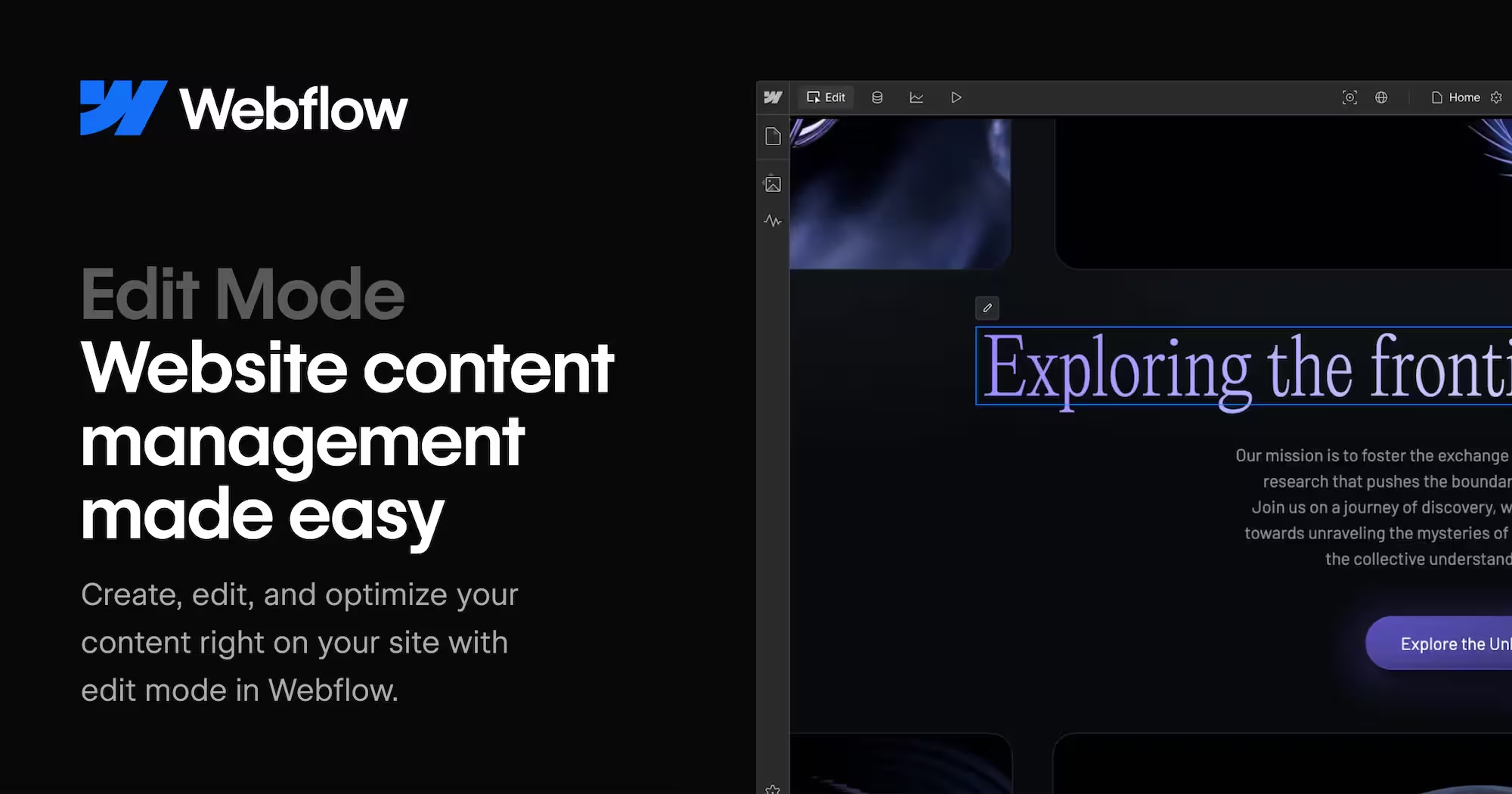
What’s The Difference Between Webflow Designer And Webflow Editor?
Think of it like a restaurant:
Designer is the kitchen
This is where the layout, components, styles, and structure are built. It’s typically owned by a Webflow designer, dev, or Webflow partner.
Editor is the dining room
This is where marketers should live. You can update copy, swap images, publish CMS content, and make changes without risking layout.
This separation is underrated. It’s how Webflow gives marketing autonomy without turning the site into a free-for-all.
What are the Leading Website Builders for Marketing Purposes?
In 2026, the usual shortlist looks like:
- WordPress
- Wix or Wix Studio
- Squarespace
- Framer
Each has a “best for.” But for growth-focused marketing teams, Webflow tends to sit in the sweet spot between flexibility and control.
WordPress can do almost anything, but it often comes with maintenance overhead and plugin risk. Squarespace is smooth but can be limiting for complex systems.
For a detailed comparison of the two platforms, read our guide: Webflow vs WordPress: Our Honest Take From Real Projects.
Framer is fantastic for fast, design-forward pages but can be less CMS-systemized depending on the setup.
If Framer is on your radar, explore our full breakdown: Framer vs Webflow: Which Platform Should Businesses Choose.
Wix is accessible and improving fast, but many teams hit governance and scaling limitations as they grow.
Curious how Webflow stacks up against Wix? Check out: Webflow vs Wix Comparison in 2026 + [Pros & Cons].
Webflow is strongest when you need marketing agility plus a structured, scalable system.
Which Platform Allows Marketing Teams To Update Sites Easily?
Webflow allows marketing teams to update on-page content or add new CMS items without touching code, using its Editor and CMS tools.
Other platforms, such as WordPress with the Gutenberg editor or Squarespace, also offer ways for marketers to manage content independently, though some may require more technical setup or plugin management.
Changes can often be published immediately, helping reduce bottlenecks in workflow.
What Are The Simplest Website Development Tools For Marketers?
For marketers seeking simple, quick-to-launch websites, Wix Studio and Squarespace are the most accessible. They provide pre-built templates and drag-and-drop interfaces that require minimal setup.
Webflow is slightly more advanced but allows for long-term flexibility, custom layouts, and scalable CMS structures, making it a better investment for teams expecting growth and complex marketing needs.
What Are The Top Platforms For Creating Landing Pages For Marketing?
The top platforms for landing pages include Webflow, Framer, and WordPress.
Webflow is often preferred because it allows teams to duplicate, edit, and publish landing pages quickly while maintaining brand consistency, fast load speeds, and SEO best practices.
Framer is ideal for visually creative, fast pages, and WordPress is flexible but may require more technical oversight.
What Are The Best No-Code Website Solutions For Marketing Departments?
No-code platforms like Webflow, Wix Studio, and Squarespace enable marketing teams to launch websites without engineering support.
Webflow stands out because it combines no-code ease with strong operational controls, reusable components, and advanced CMS capabilities, making it suitable for teams that want both speed and long-term scalability.
How Does Webflow Integrate With Marketing Tools Like HubSpot, GA4, And Pixels?
You can integrate most marketing tools in Webflow via:
- Global scripts (site-wide)
- Page-level scripts (campaign-specific)
- Native integrations where available
The bigger question is governance: who owns tags, naming conventions, and QA?
A clean Webflow setup includes:
- A tracking plan
- A tag management approach (often GTM)
- Clear QA steps before publish
- A habit of removing scripts you no longer use
Because nothing kills performance like 27 trackers all begging to run first.
For teams using HubSpot, a proper Webflow integration keeps lead capture, CRM data, and automation workflows running correctly.
At Creative Corner, we help companies with HubSpot implementation and integration so your Webflow website works directly with your marketing and sales tools.

When Is Webflow Not The Right Platform For Marketers?
Webflow is not a universal yes.
It may not be the best fit if:
- You need complex web app functionality tightly coupled to the marketing site
- You require extremely custom backend logic without a separate app layer
- Your org cannot commit to maintaining a component system and CMS structure
- You want total plugin-driven extensibility as your primary way of building features
But for the core “marketing website + content + campaigns” job, it’s one of the best platform choices.
What New Webflow Capabilities Matter Most In 2026?
Webflow’s 2026 updates focus on areas that matter for marketers: scaling content systems, speeding up site production, and improving governance.
Next‑Gen CMS (Enterprise First, Broader Rollout Ahead)
Webflow has migrated all Webflow Enterprise sites to its next‑gen CMS architecture. Webflow states this enables configurable scale to over one million total CMS items per site (depending on plan), richer Collection models with more fields and reference relationships, and expanded CMS design flexibility such as more Collection lists per page and deeper CMS nesting.
Webflow is also migrating non‑Enterprise CMS sites to the same architecture, and has stated expanded CMS data design flexibility will become available more broadly as migrations complete in the coming months.
AI Site Builder Improvements
Webflow updated its AI site builder with a redesigned creation experience and support for generating multi‑page sites in the initial flow, up to five pages.
The output is an editable Webflow site rather than a locked template, and access is controlled by the Workspace AI setting. Webflow has stated the AI site builder is available to Enterprise accounts as well.
Component Canvas
Component Canvas is available as a dedicated component authoring experience. It provides a unified view of component variants and supports side‑by‑side editing, making it easier to maintain design consistency and manage reusable building blocks.
AI Governance & Auditability (Enterprise)
Webflow added a “Use Webflow AI” permission within Custom Roles, allowing Workspace admins to grant or restrict AI access by role.
Webflow also added tracking for AI toggle changes in the Workspace Audit Logs API, recording when Webflow AI was enabled or disabled and by whom.
Webflow Conf 2026
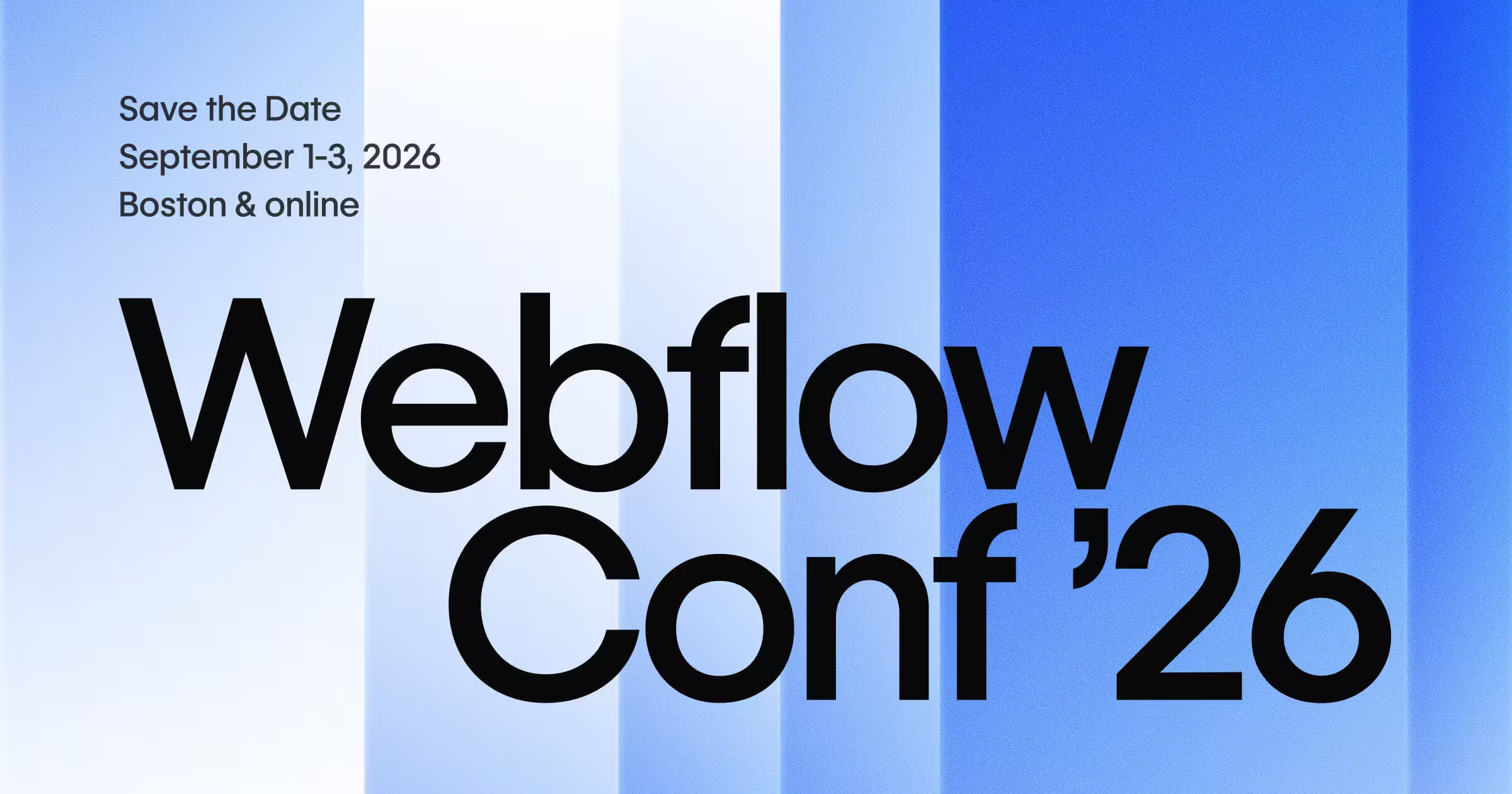
Webflow Conf 2026 is scheduled for September 1–3, 2026 in Boston and online, with tickets going on sale in March 2026. Webflow references 1,500+ in‑person attendees and 30,000+ online attendees.
Can Webflow Handle Multi-Language SEO And International Marketing Sites?
Yes, but the “best” setup depends on how complex your localization needs are.
If you’re managing a few languages, you can build a clean structure with localized folders, translated CMS content, and proper hreflang implementation so Google understands which version to rank in each country.
Webflow supports multilingual sites via structured CMS content, folder organization, hreflang, and integrations with third-party localization tools.
For larger international programs, the real work is governance: consistent URL patterns, translation workflows, and avoiding duplicate or near-duplicate pages that compete with each other.
Done right, Webflow can support global SEO without turning localization into a technical nightmare.
For more information on translating and managing multilingual sites, check out our latest article: Webflow Localization - How To Translate & Manage Multilingual Websites.

Why Are More High-Growth Companies Moving To Webflow?
High-growth companies, especially in SaaS, B2B tech, and startups, are switching to Webflow because it solves the exact problems that slow them down on legacy platforms.
They need to launch landing pages, run A/B tests, update content, and scale traffic quickly, often without waiting for developers.
Traditional setups like WordPress create friction: plugin conflicts, security maintenance, unpredictable performance under load, and dev tickets for even small changes.
Webflow removes those barriers with these key advantages:
- Marketers and growth teams can edit live content, publish blog posts, and build campaign pages independently through the visual Editor and CMS. Once set up correctly, updates happen in minutes instead of days or weeks.
- Built-in hosting on AWS with global CDN delivers fast, reliable performance and automatic security, so sites stay stable during traffic spikes or global rollouts.
- No plugin ecosystem means less technical debt, fewer vulnerabilities, and predictable costs. Hosting, forms, SEO basics, and animations are native.
- Next-gen CMS (Enterprise migration finished January 2026, broader rollout ongoing) supports massive content scale and richer dynamic experiences without rebuilding.
- Native tools for personalization, conditional logic, and AI-assisted design let teams iterate faster and optimize for AI search results.
Recent examples include fast-growing SaaS brands and agencies that report cutting update times dramatically, reclaiming budget from maintenance, and gaining full control over their digital presence.
In Webflow's 2026 State of the Website Report, 95% of marketing leaders say slow governance holds them back, and high-growth teams are choosing Webflow to break free of that cycle and move at the speed their business demands.
How Can Creative Corner Help You Make the Most of Webflow?
Adopting Webflow is one thing. Using it to its full potential is another.
That’s where Creative Corner comes in.
Creative Corner is a certified Webflow Enterprise Partner specializing in building high-performing Webflow websites for ambitious brands and marketing teams.
We help companies:
- design conversion-focused websites
- build scalable Webflow CMS architectures
- implement SEO-first site structures
- migrate complex websites from WordPress or other platforms
- create high-performance landing page systems
- optimize Webflow websites for speed and growth
Our team combines design, Webflow development and Webflow SEO expertise to create websites that don’t just look good but actively drive business growth.
If your marketing team wants more speed, more flexibility and better results, Webflow is the platform. And Creative Corner helps you get the most out of it.