
Choosing a new website builder can feel like a high-stakes decision when your digital presence depends on it. You need a platform that is powerful, flexible, and easy to manage without calling a developer for every update.
Webflow promises the creative freedom of custom code without touching a single line.
But what are the real Webflow pros and cons, and is Webflow worth it in 2026?
At Creative Corner Studio we build websites that perform, convert, and scale. As a Webflow Enterprise Agency we have spent years testing, refining, and pushing the platform across marketing sites, SaaS landing pages, and brand experiences.
We know its strengths and the limitations most reviews skip.
This guide cuts through the noise to give you a clear, experience backed view of Webflow advantages and disadvantages.
By the end you will know whether Webflow is the right fit for your business in 2026 and beyond.
What is Webflow?
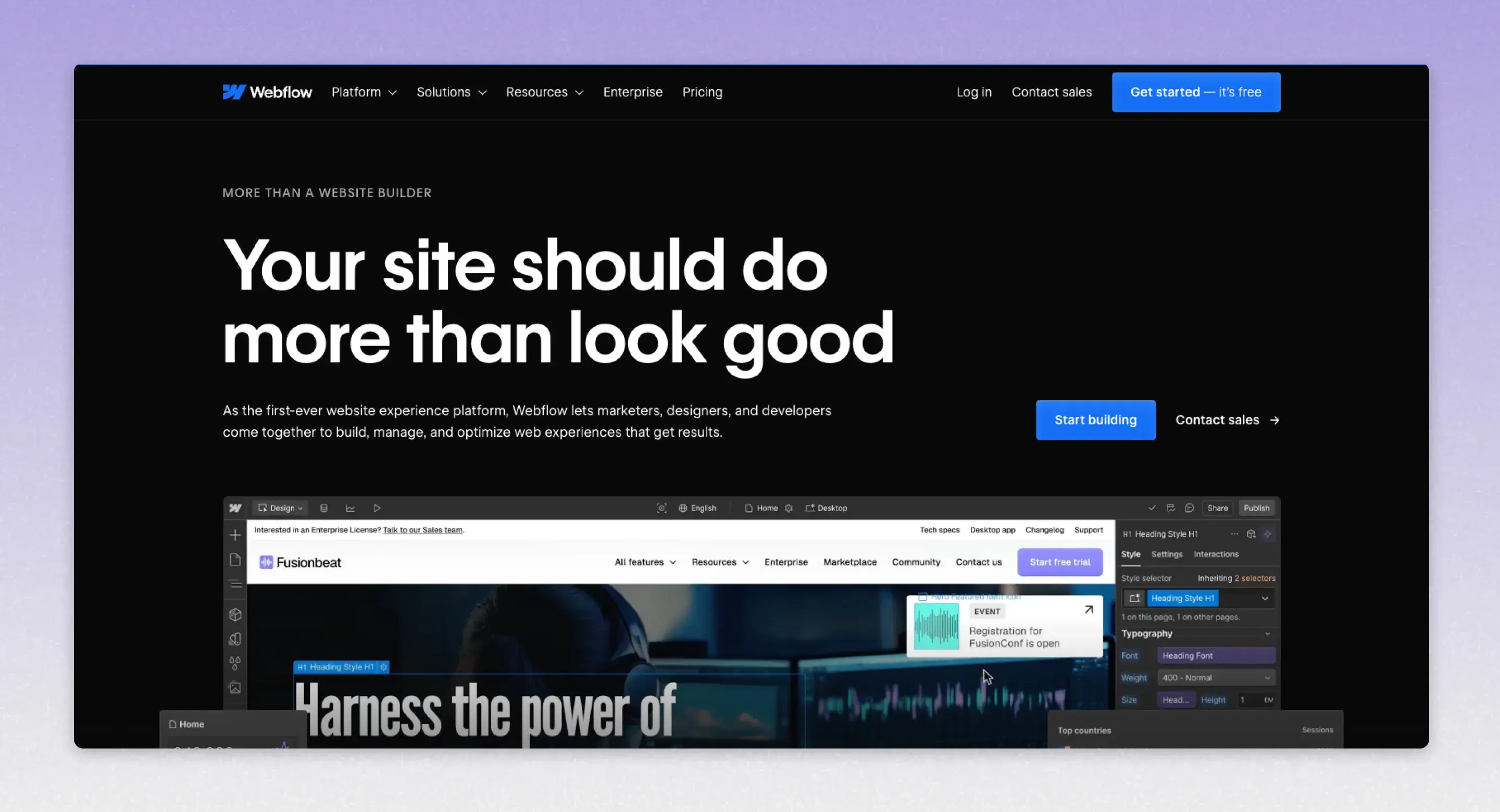
Webflow is a visual web design, development, and hosting platform that lets you create professional, responsive websites without writing code, while still generating clean HTML, CSS, and JavaScript in the background.
Founded in 2013, Webflow is aimed at a wide audience, from freelance designers to large enterprise teams.
It combines the power of a professional front end builder, a content management system, and fast hosting in a single tool you use in your browser.
With over 641,000 live websites and a valuation of $4 billion, it’s a significant player in the web design space.
For a deeper dive, check out our Complete Guide: What is Webflow.
What is Webflow Used For?
Webflow is used to design, build, and launch websites such as marketing sites, blogs, portfolios, landing pages, and light ecommerce stores.
It is especially popular with agencies, and marketing teams who want pixel level control over layout, animation, and content, without relying on engineers for every change.
Key Features of Webflow
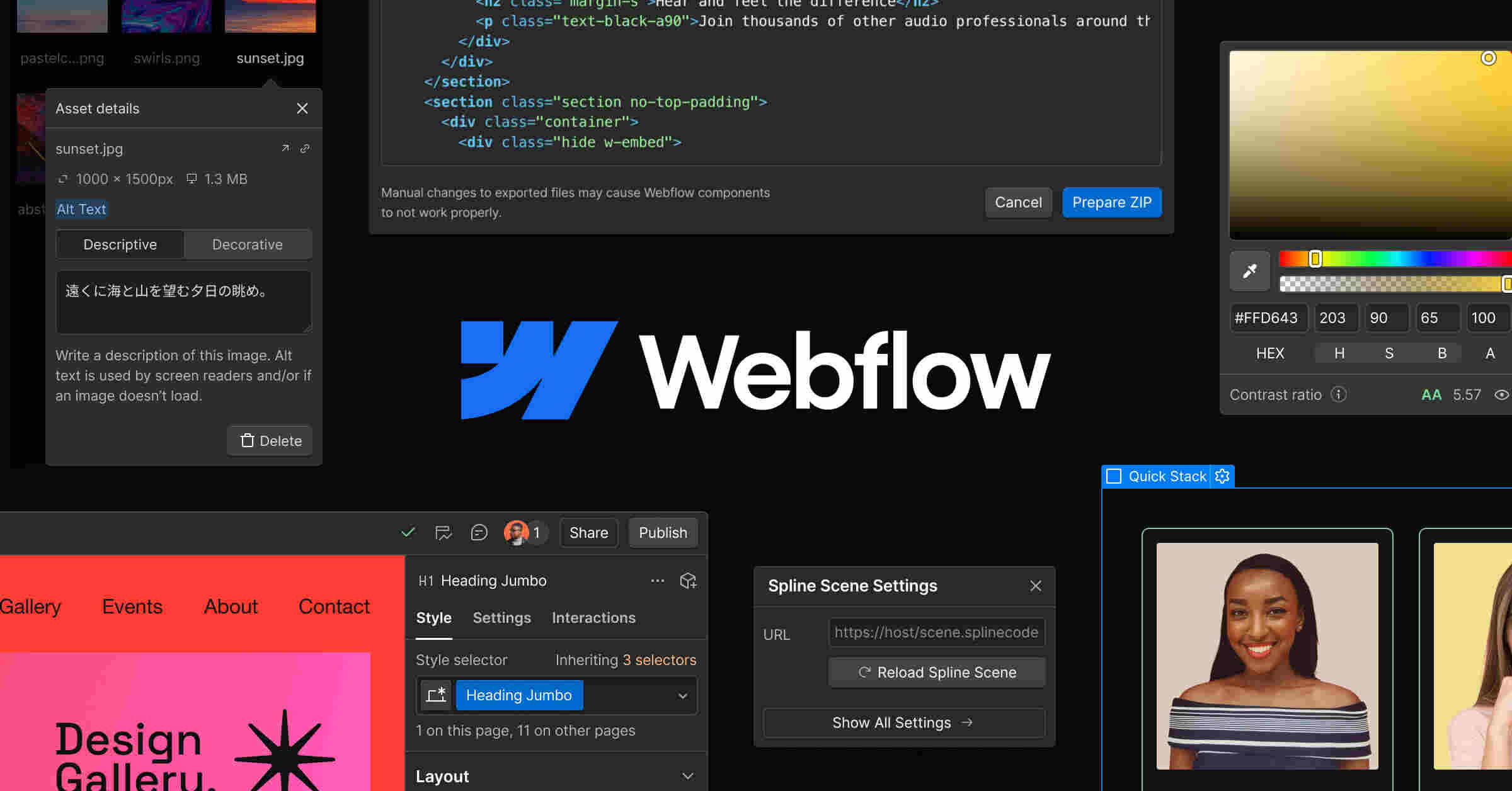
Visual designer
Webflow has a visual designer that works the way the web actually works. You control layout with Flexbox and CSS Grid, adjust spacing, typography, colors, and build fully responsive designs for desktop, tablet, and mobile.
Instead of dragging vague blocks, you are working with real elements, classes, and the box model.
Content Management System CMS
Webflow includes a flexible CMS. You can define custom content types, called Collections, such as blog posts, case studies, team members, events, or products.
Each Collection has fields you choose, like title, rich text, images, tags, or dates. You then bind those fields directly to your designs, so the layout is fully custom while content stays easy to edit.
Interactions and animations
Webflow lets you create advanced animations and interactions visually. You can build scroll based effects, reveal on scroll, parallax, hover states, click triggered animations, and page load animations using timelines and triggers instead of JavaScript.
This makes it much easier to add modern, polished motion design to a site.
Hosting and publishing
Webflow provides built-in hosting with a global content delivery network, free SSL, high performance, and one click publishing.
You can publish to a Webflow subdomain while building, then connect your own custom domain when you are ready to go live.
You can also manage redirects, sitemaps, and other search engine optimization settings inside the same interface.
Editor for content teams and clients
Non technical users can log into the Webflow Editor, click directly on text and images on the live site, and update content or CMS items without touching the design.
This makes it ideal for handoff from designers or agencies to clients, marketing teams, or copywriters.
Ecommerce
Webflow also supports ecommerce, including product catalogs, carts, checkout, basic order management, and integrations with payment providers.
It is best suited for small to medium online stores that value design flexibility and content driven marketing.
Code export
For static sites, Webflow can export clean front end code. This is useful if you need to host somewhere else or integrate with a custom stack, though CMS and ecommerce features depend on Webflow hosting.
Get Proven Webflow Strategies for Better Marketing Results Based on 350+ Projects We’ve Delivered

Who is Webflow Best For?
Webflow is ideal for teams and organizations that need flexible, design-driven websites with strong CMS capabilities and fast iteration. It’s widely used across the following industries:
- Technology & SaaS
- Marketing & Advertising
- Healthcare & Wellness
- Corporate & Enterprise
- Startups & Entrepreneurship
- Education & Online Learning
- Media, Publishing & Blogs
- Nonprofits & NGOs
- E-commerce & Retail
- Design & Creative Services
What Webflow is Not
Webflow is not a full backend or application framework. For complex web applications with custom user accounts, heavy business logic, or complex database relationships, teams often use Webflow only for the marketing site or pair it with external services and custom code.
Quick Take:
Webflow is a visual web design and development platform with an integrated CMS and hosting service that lets you build, animate, and publish responsive, search engine friendly websites in your browser without writing code, while still producing clean, production ready HTML, CSS, and JavaScript.
What are the Pros of Webflow?
Webflow offers a compelling set of features that attract designers, developers, and businesses alike. Its biggest strengths lie in its unparalleled design control, clean code output, and robust content management system.
Let's explore the key advantages of using Webflow.
Unmatched Design Flexibility
The standout advantage of Webflow is its design flexibility. Unlike many website builders that confine you to pre-set templates, Webflow gives you a blank canvas and the tools to build virtually any layout you can imagine.
Its designer is based on the box model, a fundamental concept in web design, which allows for precise control over every element's position, spacing, and styling.
You can create complex, responsive layouts using Flexbox and CSS Grid visually. The platform also offers advanced animation and interaction tools, called "Webflow Interactions."
These allow you to create sophisticated, custom animations triggered by page load, scroll position, or mouse movements without writing a single line of JavaScript.
This level of creative freedom is typically only achievable with custom code, making Webflow a go-to for brands that need a unique and memorable web presence.
Clean, Semantic Code
Even though you’re not writing code yourself, Webflow generates clean, semantic HTML, CSS, and JavaScript in the background. This is a significant advantage over other visual builders that often produce bloated, messy code that can hurt site performance and SEO.
Because the code is clean, websites built on Webflow tend to load faster and are more easily understood by search engine crawlers.
For developers, this means the exported code is readable and easy to work with if they need to add custom functionality or host the site on a different server.
This commitment to code quality ensures your site is built on a solid, professional foundation.
Powerful & Flexible CMS
Webflow’s Content Management System (CMS) is another major pro. It allows you to create custom content structures for anything from blog posts and team members to portfolio projects and case studies.
You can define specific fields for each content type (like text, images, videos, and dates), making content entry straightforward for your team or clients.
The content can then be designed and displayed anywhere on your site. For example, you can create a collection of "Services" and then pull that data into your homepage, a dedicated services page, and even a sidebar, all styled differently.
This dynamic approach to content is incredibly powerful and flexible, allowing you to manage and scale your site’s content efficiently.
Excellent SEO Capabilities
Webflow provides all the essential tools you need to optimize your site for search engines. You have full control over SEO settings on a page-by-page basis, including:
- Meta Titles & Descriptions: Easily customize them for every page.
- URL Slugs: Create clean, keyword-rich URLs.
- Alt Tags: Add descriptive alt text to images for accessibility and SEO.
- Structured Data: Edit schema markup to help search engines understand your content better.
- 301 Redirects: Manage redirects to preserve link equity.
- Robots.txt & Sitemaps: Automatically generates XML sitemaps and allows you to edit the robots.txt file.
Furthermore, because Webflow sites are built with clean code and are generally fast-loading (when optimized correctly), they have a strong technical SEO foundation right out of the box.
The Cool New Stuff Webflow Added
➔ Revamped AI Assistant for SEO/AEO: Generate alt text for images in bulk, meta titles & descriptions for static and CMS pages, and schema markup for static and CMS pages.
➔ Smarter Audit Panel: Uses AI to spot missing alt text, schema gaps, and accessibility issues before publishing.
➔ Webflow MCP Server: Lets AI tools interact directly with your website’s content for bulk updates, formatting, or content checks while keeping your team in control.
➔ Webflow Analyze (Clickmaps & Scrollmaps): Visualize where people click, how far they scroll, and where engagement drops to improve UX and meet Core Web Vitals.
➔ Next-gen Webflow CMS (2025): Supports larger, structured sites with deeper nesting, more fields, and APIs for sharing content. Handles up to 1M CMS items per site and per collection, providing a foundation for AEO optimization.
Integrated Hosting & Security
Webflow provides fast and reliable hosting through Amazon Web Services (AWS) and a global Content Delivery Network (CDN) powered by Fastly.
This means your website loads quickly for visitors anywhere in the world, which is crucial for both user experience and SEO.
Security is also a priority. All sites hosted on Webflow come with a free SSL certificate, automatic backups, and protection against DDoS attacks.
You don't have to worry about server maintenance, security patches, or software updates, Webflow handles it all for you.
This managed hosting environment lets you focus on creating great content and growing your business.
What are the Cons of Webflow?
While Webflow is a powerful platform, it's not without its drawbacks. The same features that offer immense flexibility can also present challenges, particularly for newcomers.
The pricing structure can be confusing, and its e-commerce capabilities, while improving, still lag behind dedicated platforms. Here are the main cons of Webflow to consider.
Steep Learning Curve
The biggest hurdle for new Webflow users is its steep learning curve. Unlike simple drag-and-drop builders like Wix or Squarespace, Webflow is not a tool you can master in an afternoon.
Its interface is more akin to professional design software like Photoshop or Figma, and it requires an understanding of web design fundamentals like the box model, classes, and responsive design principles.
While Webflow positions itself as a "no-code" tool, a basic knowledge of HTML and CSS concepts is almost essential to use it effectively.
Without this foundation, the interface can feel overwhelming, and you might struggle to achieve the results you want.
Fortunately, Webflow offers "Webflow University," an extensive library of high-quality video tutorials and articles that can help you get up to speed.
Complicated Pricing Structure
Webflow's pricing is notoriously confusing, even after Webflow simplified its plans on May 13, 2026. There are four kinds of plans and add-ons, and you may need more than one depending on your needs:
- Site Plans: These are for hosting individual websites. Standard sites use Basic or Premium (the old CMS and Business plans were merged into Premium), and online stores use the eCommerce plans (Standard, Plus, Advanced). You need one of these for every live site you want to host on Webflow.
- Platform Plans: Team ($2,500 a month on an annual contract) and Enterprise (custom pricing) bundle a site, a Workspace, and add-ons into one contract for larger teams.
- Workspace Plans: These are designed for individuals or teams who build and manage websites. They determine how many users can collaborate, how many sites you can work on, and whether you can export code. There are tiers for in-house teams and separate tiers for freelancers and agencies.
- Add-ons: Optional extras on top of a plan, such as more bandwidth, Localization, Webflow Analyze, and Webflow Optimize.
Figuring out which combination of plans you need can be a frustrating experience, and the costs can add up, especially for agencies or businesses managing multiple sites.
Limited Ecommerce Features
Webflow has been steadily improving its e-commerce functionality, but it still falls short when compared to dedicated e-commerce platforms like Shopify or BigCommerce.
While it’s suitable for small to medium-sized stores with straightforward product catalogs, it lacks many advanced features that larger retailers need.
Key limitations include:
- Limited Payment Gateways: It primarily supports Stripe and PayPal, which is far less than the dozens of options available on other platforms.
- No Point-of-Sale (POS): Webflow doesn't offer a native solution for in-person sales.
- Product Limits: Plans have caps on the number of products you can sell (from 500 to 15,000).
- Basic Functionality: Features like abandoned cart recovery, advanced product filtering, and dropshipping integrations are either non-existent or require third-party tools, which add to the cost.
For businesses where e-commerce is the primary focus, a platform like Shopify is often a better choice.
Page and CMS Item Limits
Webflow’s plans come with limits on the number of static pages and CMS items (like blog posts or portfolio pieces) you can have.
- Static Pages: Basic and Premium allow 300 static pages, and the Team plan allows 500.
- CMS Items: Premium and Team include 20,000 CMS items (Basic has no CMS), and Enterprise limits are set in the contract.
For most websites, these limits are generous. However, for large publications, news sites, or businesses with extensive resource libraries, these caps could become a significant problem over time, potentially pushing you onto the Enterprise plan, where limits are set per contract.
Email-Only Customer Support
Unless you're on the Team or Enterprise plan, customer support is limited to email, and Webflow aims to reply within 48 hours.
For a mission-critical business website, the lack of live chat or phone support can be a major disadvantage. If your site goes down or you encounter a critical bug, waiting a day or two for a response is not ideal. That's the gap a Webflow maintenance retainer fills: a team that already knows your site, with prepaid hours from $2,400 a month.
While the community forum and Webflow University are excellent self-help resources, the absence of immediate support channels is a notable weakness compared to competitors who offer more accessible help.
GDPR and Data Hosting Considerations
Webflow historically hosted data primarily on US servers, which meant EU companies had to pay close attention to GDPR compliance when using it.
However, Webflow has since introduced European hosting options, so businesses can now choose to store data in the EU.
Webflow vs Competitors
Webflow vs WordPress
WordPress offers a massive plugin ecosystem and flexibility for complex CMS needs, but it requires ongoing maintenance and can become slow if overloaded with plugins.
Webflow produces cleaner code with less overhead and integrates hosting and design in one platform, though it has fewer third‑party integrations compared to WordPress.
Framer vs Webflow
Framer excels at rapid prototyping and advanced animations, making it popular among designers for interactive projects.
However, it is weaker for CMS‑driven, marketing‑focused sites. Webflow, by contrast, is stronger for content‑heavy, SEO‑optimized production websites that need scalability and structured content management.
Is Webflow Right for my Business in 2026?
Deciding if Webflow is the right fit depends heavily on your priorities, technical comfort level, and business goals. It's a fantastic tool, but it's not a one-size-fits-all solution.
When Webflow Shines Brightest:
- Design is your top priority. If you need a unique, highly-customized website that stands out from the competition and reflects your brand perfectly, Webflow's design capabilities are unmatched.
- You need a powerful CMS for marketing content. For blogs, case studies, portfolios, and other content-driven sites, Webflow’s flexible CMS is a game-changer.
- You value performance and security. Webflow’s managed hosting takes care of the technical heavy lifting, ensuring your site is fast, secure, and reliable without you needing to manage a server.
Webflow Might not be the Best Choice if:
- Your business is primarily e-commerce. If you have a large product catalog or need advanced e-commerce features like POS integration or complex shipping rules, a dedicated platform like Shopify is a more robust solution.
- You are on a very tight budget. While there is a free plan, the costs for a professional site with a custom domain and necessary features can be higher than some alternatives, especially with the confusing pricing tiers.
- You expect deep plugin ecosystems. Webflow doesn’t offer a marketplace like WordPress. If you rely on niche plugins, advanced automation modules, or specialized integrations, you may find Webflow limiting without custom development.
- You require full code-level control. Webflow gives flexibility, but it is still a visual editor. Developers who need deep backend access, custom routing, or server-side logic might prefer frameworks like Next.js or platforms such as WordPress or custom builds.
Quick Take:
In 2026, Webflow continues to be the leading platform for businesses that want the creative control of custom development without the high cost and long timelines.
For brand managers, marketing directors, and creative leads, it offers the perfect balance of power and usability to create stunning, high-performing websites.
At Creative Corner, we help ambitious brands through Webflow Development — designing and building systems that move as fast as your ideas: clean, scalable, and built for performance from day one.
Expert Verdict
Webflow is more than just a website builder, it's a professional web development platform that democratizes design.
It empowers businesses to create visually stunning, high-performance websites that were once only possible with a team of developers.
Its strengths in design flexibility, clean code, and content management make it an exceptional choice for content-rich marketing sites, corporate pages, and creative portfolios.
However, its power comes with complexity. The steep learning curve and confusing pricing can be deterrents, and its e-commerce features are still maturing.
It’s a tool for those who are serious about their web presence and are willing to invest the time to learn it or hire an expert to build on it.
For brand managers and decision-makers, Webflow represents an opportunity to take full control of your brand's digital identity.
If your primary goal is to build a unique, content-driven website that looks and feels custom-built, Webflow is arguably the best tool on the market today.
But if your needs are simpler or heavily focused on e-commerce, you may find better-suited alternatives.
Frequently asked questions
Is Webflow worth it for enterprise teams?
Yes, Webflow is worth it for enterprise teams that need full brand control, stable hosting, and a CMS that supports structured content workflows. Enterprise features such as custom SLAs, advanced security controls, global staging environments, and granular permissions help large organizations move faster without relying on engineering for every update. The platform also reduces technical debt because design, CMS, and hosting sit in one environment, which makes governance easier across departments.
Why do marketing teams prefer Webflow over other website builders?
Marketing teams prefer Webflow because it gives them complete creative control while speeding up production timelines. Designers can build pixel-accurate layouts and interactions without involving developers for every change. Content teams can update the site directly in the Editor. This workflow reduces friction between design, development, and content, which helps agencies deliver polished sites faster and maintain them with fewer resources.
How does Webflow compare to WordPress for SEO performance?
Webflow gives you strong technical SEO foundations by default, including clean code output, automatic minification, native schema editing, and fast hosting. WordPress can match or outperform Webflow when configured properly, but it often depends on plugins, caching layers, and custom development. For marketing teams that want an SEO-ready environment without ongoing maintenance, Webflow provides a more controlled setup from day one.
What are the biggest limitations of Webflow for long-term growth?
The main limitation is Webflow’s fixed system architecture. The platform does not support custom backend logic, large database relationships, or deep programmatic workflows, which makes it harder to scale into a full application. Editorial teams with high publishing volume can also outgrow collection limits over time. These constraints matter most for companies planning to expand from a marketing site into a complex product ecosystem.
Who should choose Webflow instead of Framer?
Choose Webflow instead of Framer if your site relies on structured content, SEO performance, or long-term scalability. Webflow handles complex content models, dynamic page generation, and editorial workflows that Framer is not built for. Framer excels at fast prototyping and animation-led designs, but Webflow is the stronger choice for marketing teams and businesses that need a stable CMS, consistent routing, and a system that grows with the brand.